AI Tools for Graphic Design: The 10 Best Platforms in 2026
This article includes affiliate links, which help support this website at no extra cost to you. Learn more
How AI is changing Graphic Design in 2026
AI tools for graphic design have moved far beyond simple text-to-image generators. In 2026, platforms offer native vector output, production-ready typography, real-time editing, and custom style training that adapts to your aesthetic. The challenge is no longer finding an AI tool that makes pretty pictures. The challenge is finding the one that fits your design workflow, budget, and output requirements.
This guide covers 10 platforms worth considering, from established players like Midjourney and Adobe Firefly to specialized tools like Kittl (AI-first design with built-in branding and print workflows) and Recraft (native SVG generation). Each tool gets a full breakdown of features, pricing, and what it does best, so you can skip the trial-and-error phase and invest in the right platform from the start.
Comparison Table
The 10 Best Graphic Design Platforms – Detailed Reviews
1. Midjourney
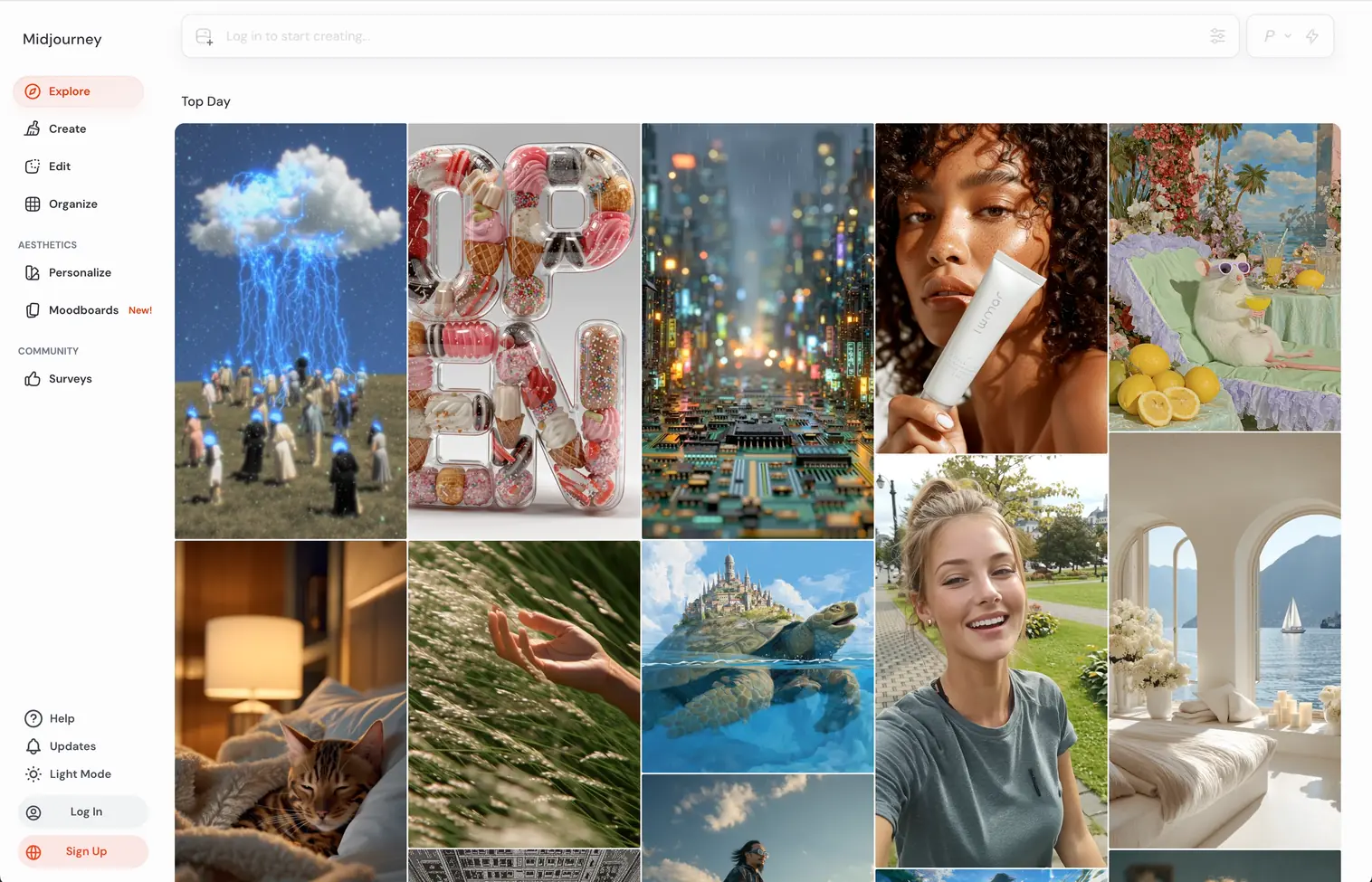
Midjourney has built its reputation on one thing: making images that look good. While competitors race to add features, Midjourney focuses on aesthetic quality. The new models produce results with a distinct artistic sensibility that other generators still struggle to match, particularly for stylized, editorial, and conceptual imagery.
The platform originated on Discord and still supports that workflow, though it now offers a dedicated web interface. For graphic designers working on mood boards, art direction, or visual concepts, Midjourney consistently delivers outputs that require less post-processing than most alternatives.
What Sets It Apart
Midjourney trains exclusively on IP-cleared or licensed data, making it one of the safer options for commercial work from a legal perspective. Stealth Mode (available on higher plans) keeps your generations private, which matters for client work and unreleased projects.
Where It Falls Short
No built-in editing tools. You generate, download, and edit elsewhere. There is no free plan, and the $10/month entry tier is limited to roughly 200 generations per month.
Pricing
- Basic $10/mo ($8 annual)
- Standard $30/mo ($24 annual) with unlimited Relax Mode
- Pro $60/mo ($48 annual) with Stealth Mode
- Mega $120/mo ($96 annual)
Annual billing saves 20%.
Best For
Designers who need high-quality visual concepts, mood boards, and art direction assets. If your work leans editorial or atmospheric, Midjourney delivers results that feel intentional rather than generated.
2. Adobe Firefly
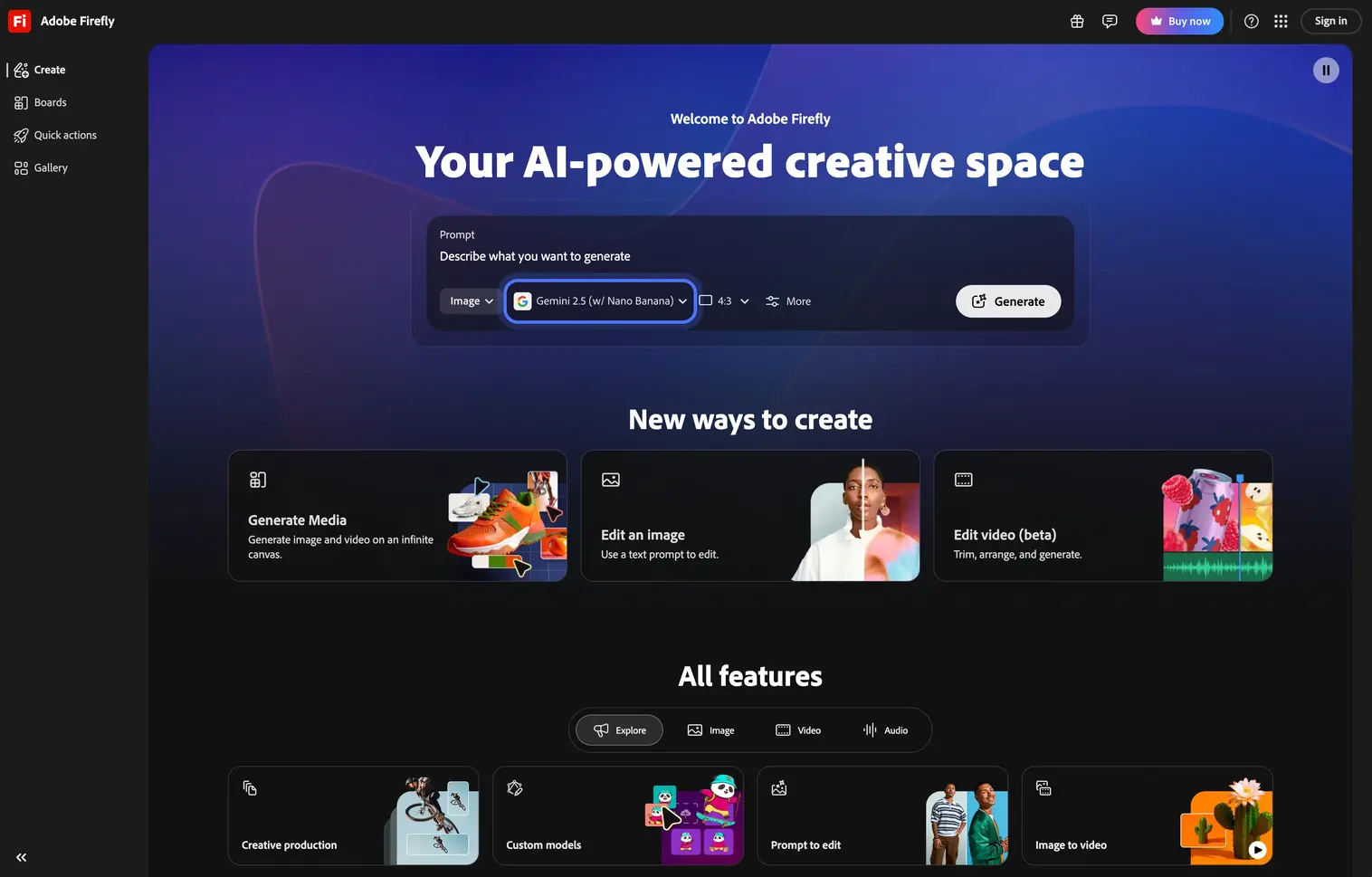
Adobe Firefly is the AI engine powering Generative Fill in Photoshop, text-to-image in Express, and asset generation across the Creative Cloud. If you already work in Adobe's ecosystem, Firefly is not a separate tool you add to your stack. It lives inside the tools you already use.
The platform differentiates itself through training data practices. Adobe trained Firefly exclusively on Adobe Stock, openly licensed content, and public domain material. This gives it a commercial safety advantage that matters for agencies, brands, and any work where IP disputes would be catastrophic.
What Sets It Apart
Firefly's integration with Photoshop, Illustrator, and Express means AI generation happens inside your existing workflow. Features like Generative Fill, Scene to Image (3D scene-based composition), and audio translation for video projects make it the most production-integrated AI tool on this list.
Where It Falls Short
Outputs tend to be competent but conservative. Firefly rarely surprises you with something unexpectedly beautiful the way Midjourney or Reve can. It prioritizes safety and consistency over artistic range.
Pricing
Stand alone pricing:
- Free plan with limited generations
- Standard $9.99/mo (2,000 credits)
- Pro $19.99/mo (4,000 credits)
- Premium $199.99/mo (50,000 credits)
Adobe Firefly is also available with the Creative Cloud Pro subscription (4,000 credits).
Best For
Designers and teams already embedded in the Adobe ecosystem. If Photoshop and Illustrator are your daily tools, Firefly removes the friction of switching between your design app and a separate AI generator.
3. Kittl
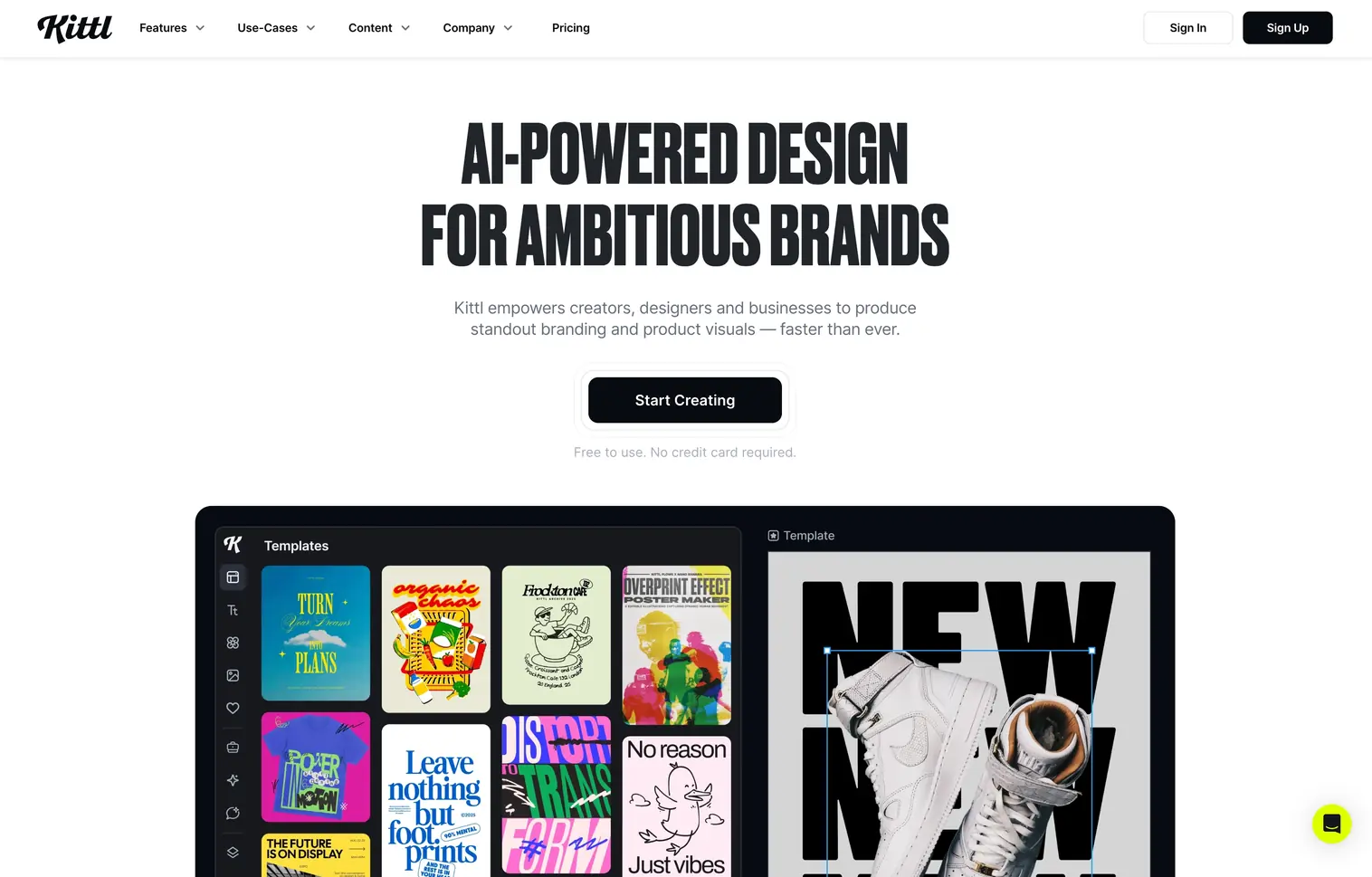
Kittl has evolved from a print-focused design tool into a full AI-first design platform for graphic design, branding, merchandise, print, and social media. The browser-based editor combines an infinite canvas with real-time collaboration, vector editing, advanced text effects, and a library of over 10,000 premium templates and mockups.
What makes Kittl unusual is the range of AI models available directly inside the editor. The platform integrates generation engines from OpenAI (GPT Alpha, ChatGPT Image 1HD, DALL-E 3), Black Forest Labs (Flux 1.1 Pro, Pro Ultra, Schnell), ByteDance (Seedream 4 and 3), Ideogram 2.0A, and Google (Nano Banana). On top of image generation, Kittl offers a dedicated AI vector generator, background remover, image upscaler, and vectorizer. Creative Flows let you chain these AI tools into reusable pipelines, turning multi-step tasks into repeatable one-click workflows.
What Sets It Apart
The multi-model AI approach gives you access to different generation strengths without switching platforms. Need photorealistic output? Use ChatGPT Image 1HD. Need fast iterations? Switch to Flux Schnell. The Creative Flows feature is a standout for production work, and the vector generator produces editable SVG output directly. Kittl is used by design teams at Pentagram, Netflix, Ogilvy, and Uber, which signals serious professional capability beyond its original merchandise roots.
Where It Falls Short
Kittl still leans heavily toward template-based design, which can feel limiting if you work from blank canvases. The AI generation quality depends on which model you pick, and token consumption varies per model, so heavy users on the Pro plan may hit limits quickly. The platform covers branding, print, and social media use cases well, but it is not a substitute for tools like Figma for UI/product design work.
Pricing
- Free Trial (200 one-time AI credits)
- Pro $15/mo ($10 annual, 2,000 AI credits/mo)
- Expert $35/mo ($26 annual, 6,000 AI credits/mo)
- Max $65/mo ($48 annual, 12,000 AI credits/mo)
Best For
Graphic designers, brand designers, and freelancers creating logos, branding materials, print collateral, merchandise graphics, and social media content. Particularly strong if you need multi-model AI generation and production-ready export in one platform.
4. Ideogram
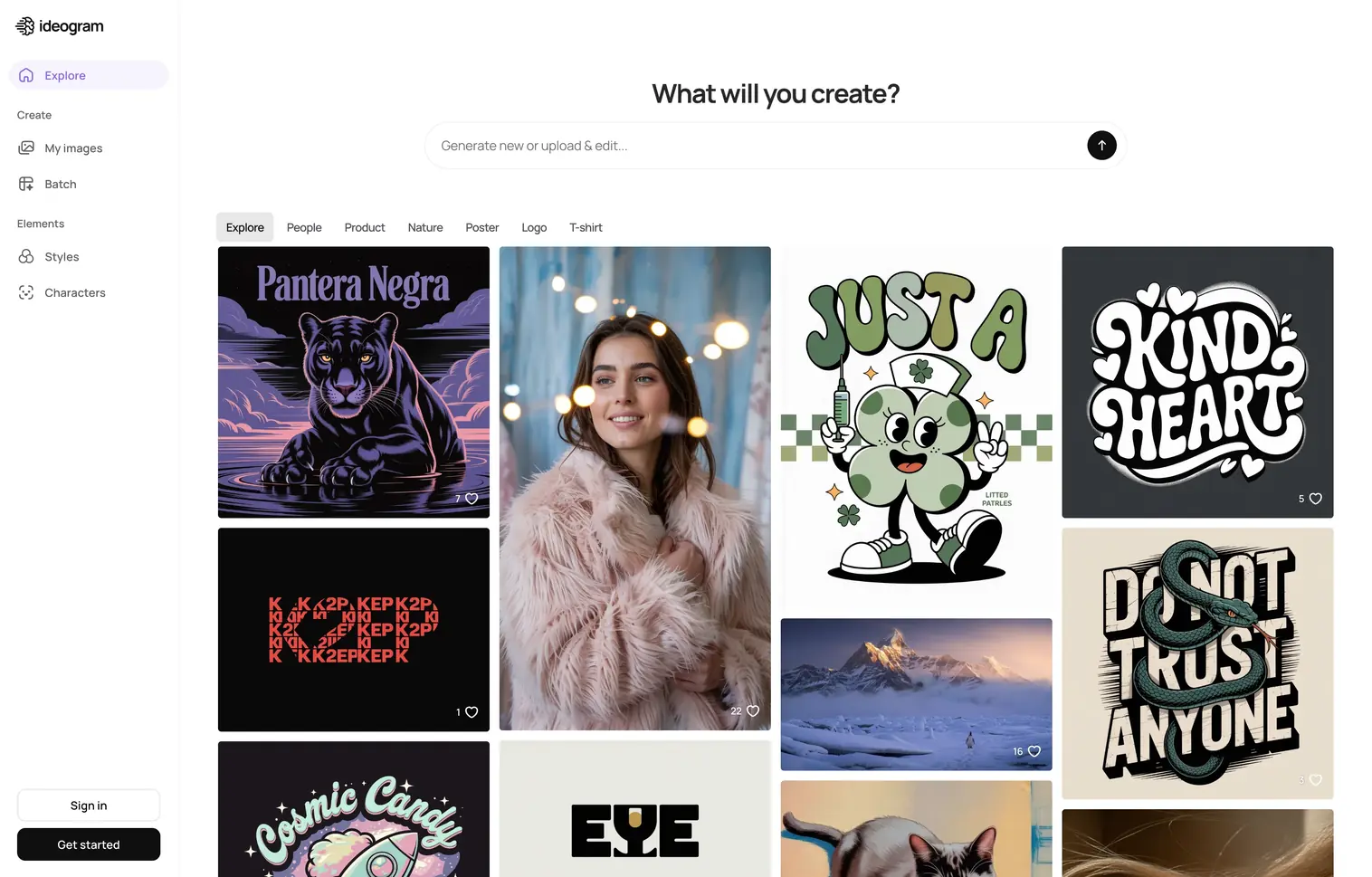
Ideogram solved the problem every other AI image generator struggled with: text in images. While competitors produce gibberish when you ask for a poster with readable text, Ideogram renders typography with roughly 90% accuracy. For graphic designers working on posters, social media graphics, logos, or any design that includes text, this is a significant practical advantage.
Beyond typography, Ideogram offers Magic Prompt (which expands brief ideas into detailed generation prompts), batch generation for up to 500 prompts via CSV, and style control through up to three reference images.
What Sets It Apart
Text rendering accuracy. If your design work involves combining imagery with readable text, headlines, or logotypes, Ideogram handles this better than any competitor. The batch generation feature on Pro plans also makes it viable for producing large volumes of design variations.
Where It Falls Short
For purely photorealistic or fine-art outputs, Midjourney and Reve still produce more visually refined results. Ideogram's strength is functional design assets, not gallery-quality art.
Pricing
- Free (limited access and public generation)
- Plus $20/mo ($15 annual, 1,000 priority credits + unlimited slow credits)
- Pro $60/mo ($42 annual, 3,500 priority credits + batch generation)
- Team $30/user/mo ($20/user annual, 1,500 priority credits).
Best For
Graphic designers who create posters, social media content, banners, and logo concepts. If text legibility in AI-generated images is a requirement for your work, Ideogram is the clear leader.
5. Recraft
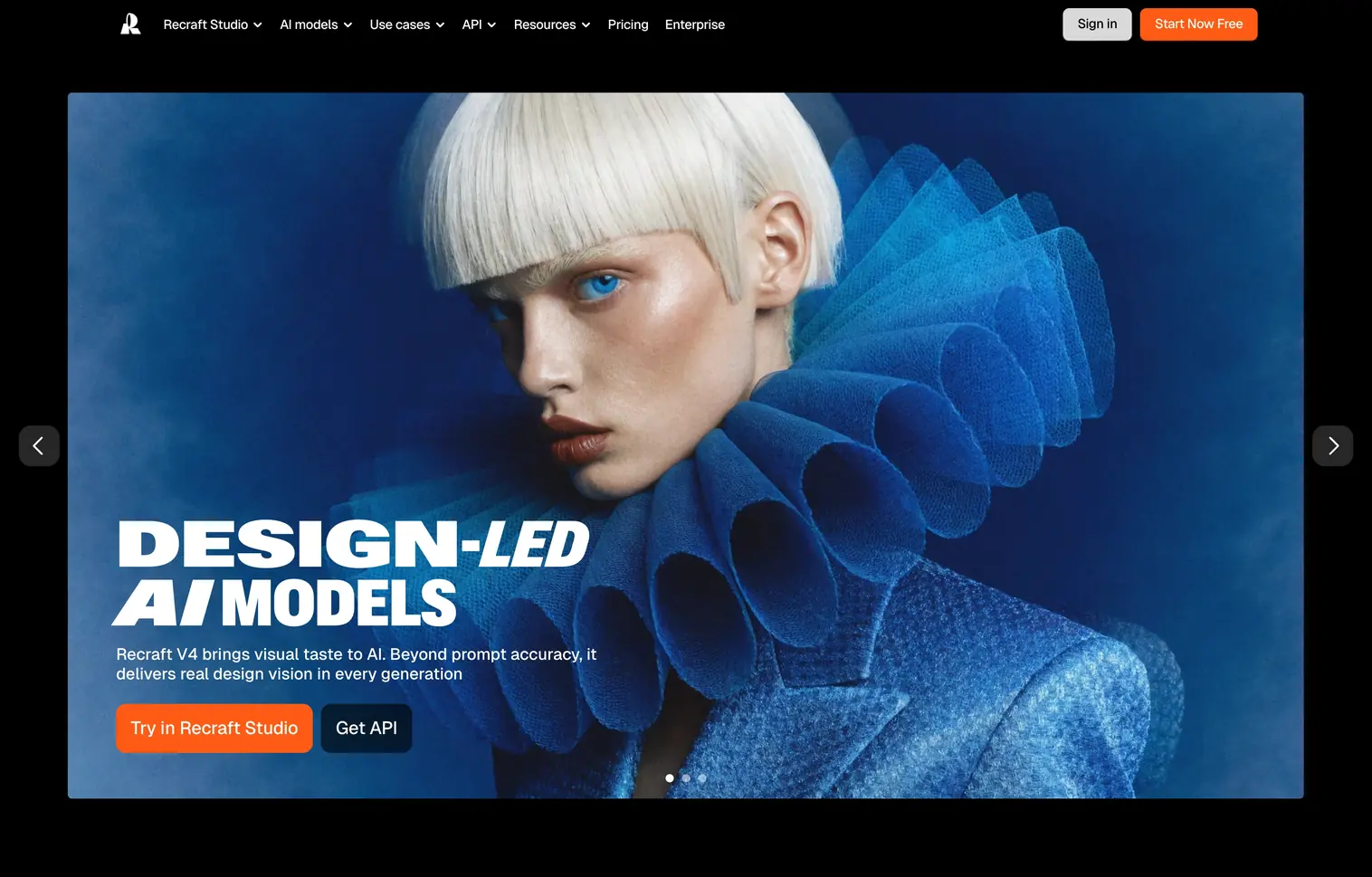
Recraft is the only major AI image generator that produces native vector graphics. While every other tool on this list outputs raster images (PNG, JPG), Recraft generates actual SVG files you can edit in Illustrator, Figma, or any vector editor. For graphic designers, this distinction is fundamental.
The platform runs on its proprietary Recraft model, which handles raster images, vectors, 3D objects, and mockups from a single interface. Beyond generation, Recraft includes a full editing toolkit: background removal, AI eraser, image upscaling, and a vectorizer that converts raster images to clean SVG files. One standout feature is custom style creation without model training. Drop in a few reference images, and Recraft instantly builds a reusable style you can apply across all future generations, which is a major advantage for maintaining brand consistency across large asset libraries.
What Sets It Apart
Native SVG output changes the production equation entirely. Instead of tracing and manually cleaning up raster AI output, you get editable vector files directly. V4 also delivers strong text rendering in generated images and handles complex multi-character scenes with accurate prompt adherence. The reference-based style system makes it practical for brand work where visual consistency matters more than one-off generation quality.
Where It Falls Short
The credit system can feel restrictive for heavy users. The free tier is generous for testing, but production use requires a paid plan. Pricing tiers use different rates for monthly vs. annual billing, which makes direct comparison slightly confusing.
Pricing
- Free (30 credits, renewed daily)
- Pro $12/mo ($10 annual, from 1,000 credits, renewed monthly)
- Teams $69/user/mo ($55/user annual 9,000 credits, renewed monthly).
Best For
Graphic designers, brand designers, and icon designers who need AI-generated vector assets. If your deliverables need to be SVG or you work primarily in vector tools, Recraft eliminates the raster-to-vector conversion step. The custom style system also makes it a strong pick for teams producing high-volume branded content.
6. Reve
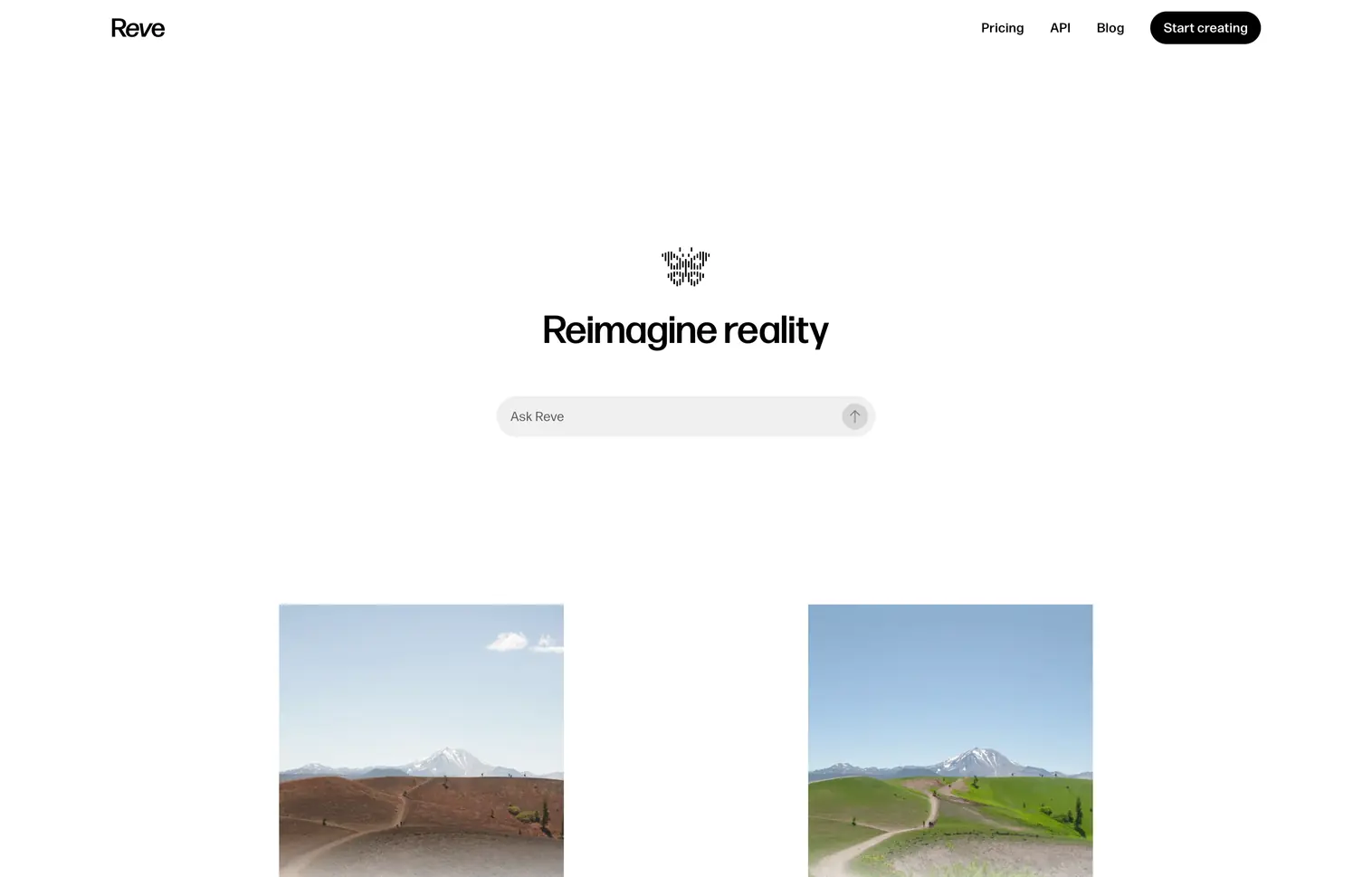
Reve burst onto the scene in March 2025 and immediately topped the Artificial Analysis leaderboard for prompt adherence. The Reve Image "Halfmoon" model follows complex prompts with a precision that most competitors cannot match, especially for multi-character scenes, specific spatial relationships, and detailed compositional instructions.
The platform also excels at text rendering, trained on over 50 million font samples through a proprietary typography engine. Combined with a hybrid diffusion architecture and context-aware prompt interpretation, Reve delivers outputs that match what you described rather than what the model thinks you meant. The team behind Reve includes former Google Brain and NVIDIA researchers.
What Sets It Apart
Prompt adherence. If you write a detailed prompt describing a specific scene with multiple elements, spatial relationships, and stylistic choices, Reve follows those instructions more faithfully than any other generator tested. The cost efficiency is notable too: approximately $0.01 per image, representing roughly 83% savings compared to Midjourney at equivalent usage levels.
Where It Falls Short
Reve is still a young platform. The interface, community, and ecosystem are less developed than established tools. The pricing model changed in 2025 from a clear credit system to a vaguer "100x more usage" description on the Pro plan, which makes cost planning harder.
Pricing
- Free Trial (set amount of free credits and daily usage limits)
- Pro $20/mo. Pay-as-you-go for more generations.
Best For
Designers who need precise control over complex compositions. If your prompts are detailed and specific, and you are frustrated by other tools interpreting your instructions too loosely, Reve delivers the closest match to your creative intent.
7. Exactly

Exactly approaches the AI generation problem from the artist's perspective: train the model on your style, then generate new work that looks like your work. This is fundamentally different from every other tool on this list. Instead of adapting to a model's aesthetic, you teach the model to adapt to yours.
The platform lets you upload your artwork, train a custom style model, and then generate new images that maintain your artistic fingerprint. The first model training is free. Every feature and model is accessible on the free tier, with costs only applied when you download production-ready files.
What Sets It Apart
The pay-per-download pricing model is unique in this space. You can create and train models for free, experiment endlessly, and only pay (£75 per licensed download) when you need production-ready output. This makes Exactly accessible for testing without any commitment, while the per-download cost ensures quality matters.
Where It Falls Short
The per-download cost is high compared to subscription models if you need volume. At £75 per download, producing 20 images costs £1,500. Volume plans bring this down to £56.25 per download, but it is still significantly more expensive than unlimited generation plans elsewhere.
Pricing
- Free (unlimited creation, 5 free credits/day)
- Pay-per-download: £75 per licensed download
- Volume plans from £56.25/download (50+ downloads/month)
- Enterprise pricing available with API access
First model training is free, additional trainings cost 50 credits each.
Best For
Illustrators and designers who need AI to replicate a specific artistic style consistently. If brand consistency matters more than generation volume, and you need outputs that look like they came from your studio rather than a generic AI, Exactly is the tool.
8. Freepik

Freepik has evolved from a stock asset library into a comprehensive AI creative suite. The platform now combines its 200+ million stock photos, vectors, illustrations, and templates with AI generation tools powered by all common models.
The AI suite covers image generation, video creation, audio tools (voice generation, music, sound effects), and editing capabilities like background removal, upscaling via Magnific and Topaz, and LoRA-based style training. Credits work as a unified currency across all AI tools, while stock downloads operate separately.
What Sets It Apart
The combination of a massive stock library with AI generation tools in one subscription. If you regularly need both stock assets and AI-generated content, Freepik eliminates the need for separate subscriptions. The "Unlimited" tier on Premium+ and Pro plans offers credit-free generation on 30+ models.
Where It Falls Short
The credit system is complex. Different AI models consume wildly different credit amounts (1 to 500 credits per image, up to 2,600 for a short video), making it difficult to predict monthly costs. The "unlimited" generation only covers selected models; premium models still consume credits.
Pricing
- Free Trial (limited credits)
- Essential $9/mo ($5.75 annual, 7,000 credits/mo)
- Premium $20/mo ($12 annual, 18,000 credits/mo + stock access)
- Premium+ $39/mo ($24.50 annual, 45,000 credits/mo + unlimited on select models)
- Pro $250/mo ($158.33 annual, 300,000 credits/mo).
Annual plans save up to 36%.
Best For
Designers and content creators who need both stock assets and AI generation tools in one platform. If you currently pay for a stock subscription and a separate AI generator, Freepik's combined offering could simplify your stack and reduce total costs.
9. Leonardo

Leonardo positions itself as a creative studio rather than just an image generator. The platform combines image generation with a rich set of editing tools, including the AI Canvas for interactive in-painting and outpainting, custom model training, and a growing video generation capability.
The token-based system offers 150 free daily tokens (enough for roughly 20-30 basic images), making it one of the more accessible free tiers in this space. Paid plans add private generation, faster processing, concurrent generation jobs, and significantly larger token allowances with rollover capabilities.
What Sets It Apart
The combination of generation quality and editing precision. While Midjourney excels at initial generation and Recraft leads on vectors, Leonardo offers the best built-in editing experience. The AI Canvas lets you paint selections, guide in-painting, and refine outputs without leaving the platform. Custom model training and multiple fine-tuned presets (Phoenix, Anime, Cinematic, Concept Art) give you more control over output style.
Where It Falls Short
Token costs vary significantly by task complexity, making it hard to predict monthly spending. Video generation consumes tokens rapidly (a single 8-second clip can cost the equivalent of 300+ basic images). Unlimited relaxed generation on higher tiers helps, but queue times during peak hours can be slow.
Pricing
- Free (150 daily tokens, public images)
- Essential $12/mo ($10 annual, 8,500 tokens/mo)
- Premium $30/mo ($24 annual, 25,000 tokens/mo + unlimited relaxed paced image generation)
- Ultimate $60/mo ($48 annual, 60,000 tokens/mo + unlimited relaxed paced video generation).
20% annual discount.
Best For
Artists, designers, and creative professionals who need both generation and editing tools in one platform. If you work on game assets, character design, or detailed concept art, Leonardo's fine-tuned models and canvas tools are built for that workflow.
10. OpenArt
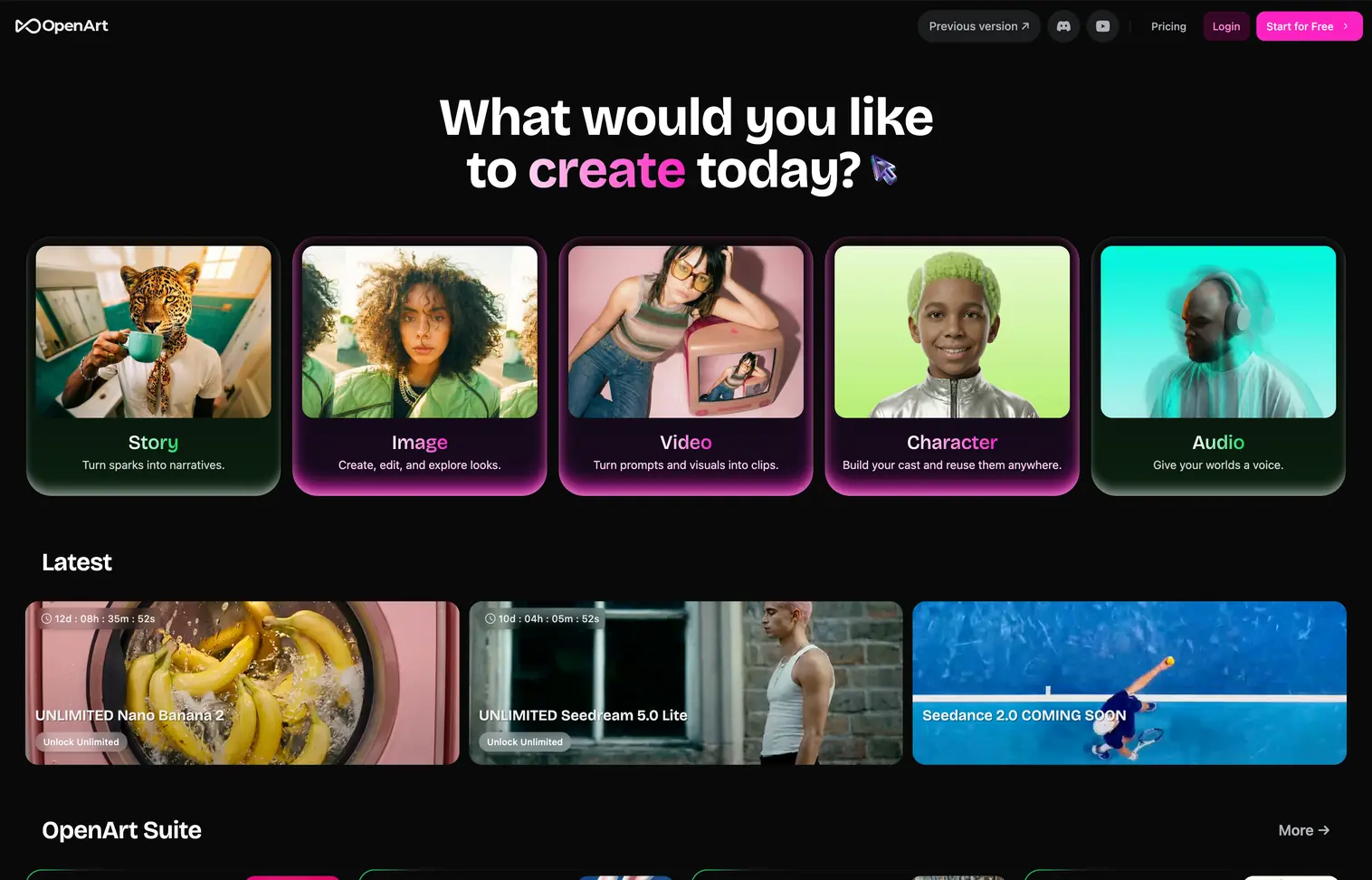
OpenArt takes the model aggregator approach: instead of building one proprietary model, it gives you access to over 100 AI models through a single interface. Frontier image models, open-source generators, and specialized engines are all available from one dashboard, with credits that work across all of them.
This matters because different models excel at different tasks. Some handle photorealism well, others are stronger at conceptual imagery, and open-source options offer the most control through custom model training. OpenArt lets you switch between them without maintaining separate subscriptions. The platform has also expanded beyond static images into video generation, audio creation, and One-Click Stories that turn text into multi-frame visual narratives.
What Sets It Apart
Model variety and creative range. Rather than committing to one generator's strengths and weaknesses, OpenArt lets you pick the best model for each specific task. The consistent characters feature (pre-built characters plus custom training) is particularly useful for brand mascots and marketing campaigns that need visual continuity across assets. One-Click Stories add a storytelling dimension that most image generators lack entirely.
Where It Falls Short
Jack of all trades, master of none. The interface wraps other models rather than optimizing a single generation pipeline. Power users of any specific model might prefer that model's native platform for the best results and latest features.
Pricing
- Free Trial (40 one-time trial credits)
- Essential $14/mo ($7 annual, 4,000 credits/mo)
- Advanced $29/mo ($14.5 annual, 12,000 credits/mo)
- Infinite $56/mo ($28 annual, 24,000 credits/mo)
- Wonder $240/mo ($120 annual, 106,000 credits/mo + unlimited on select models)
Annual plans save up to 50%.
Best For
Designers who want to experiment across multiple AI models without managing separate subscriptions. Particularly valuable if your work varies between photorealism, illustration, and conceptual imagery, and you need different models for different briefs.
How to Choose the Right AI Tool
The right AI tool for graphic design depends on three factors: what you create, how you work, and what you can spend.
If you need vector output, Recraft is the only tool that generates native SVGs directly from its AI model.
If you need text in your designs, Ideogram and Reve lead the field for typography rendering. Midjourney and Leonardo are notably weaker at producing readable text.
If you want the best raw image quality, Midjourney remains the benchmark for artistic, editorial imagery. Reve competes on prompt accuracy, and Adobe Firefly wins on commercial safety.
If you need a full design workflow (not just generation), consider Kittl for branding and print design or Leonardo for concept art with editing tools.
If budget is the priority, Freepik's Essential plan at $9/month ($5.75 annual) offers the cheapest entry point for AI-powered editing tools, though stock assets require the $20/month ($12 annual) Premium tier. For pure image generation, Krea's free tier with 50 daily generations is the most generous no-cost option on this list.
If you want model variety, OpenArt (100+ models) and Krea (64+ models) let you access various AI models under one subscription. Freepik also offers multi-model access combined with its stock library.
For designers looking to explore more AI-powered tools, check out our curated collections of AI design tools on TOOOLS.design. We also maintain a dedicated resources and tools page for graphic designers with hand-picked software, inspiration, learning resources, and creative assets beyond AI.
Conclusion
The AI tools landscape for graphic design in 2026 is remarkably diverse. There is no single "best" tool because design needs vary too widely. A poster designer working with typography has fundamentally different requirements than a concept artist or someone creating print or social media graphics.
The tools covered here represent the strongest options across those different needs. Start with the free tiers (most tools offer them), test two or three that match your workflow, and commit to the one that produces results you can actually use in production, not just results that look impressive in a prompt gallery.